Version 4 · opening soon
SS Ultimate
Every server, every task, one screen.
SS Ultimate controls the bot servers we assign you: upload accounts, proxies and links, launch tasks, watch streams count up live. Version 4 is finished and in testing on our own servers.
no card · one email when it opens · approved by hand
What Spotify counted, next to what we delivered.
Connect Spotify for Artists for your own release and the two series sit side by side, per day and per track. No tool can promise the second number, so the honest thing is to show it.
- Delivered
- Streams the bots played and reported, per day and per track.
- Counted
- Streams Spotify actually recorded for the same release.
- Attributable to us
- Counted streams above the artist's own baseline, so organic listening is not claimed as ours.
- Counted rate
- The share that survived, with a confidence level, so a number too small to mean anything says so.
Real screens, real numbers.
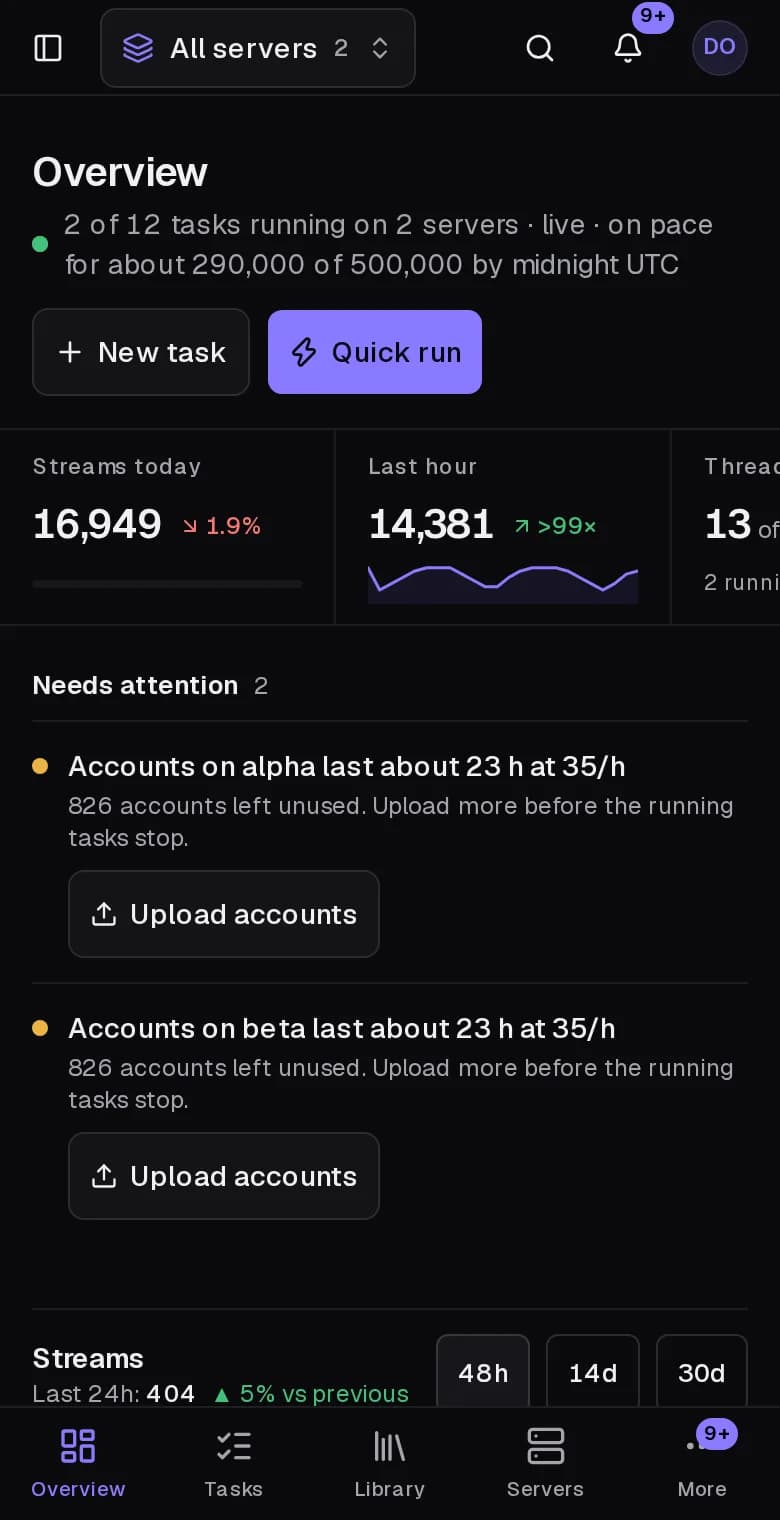
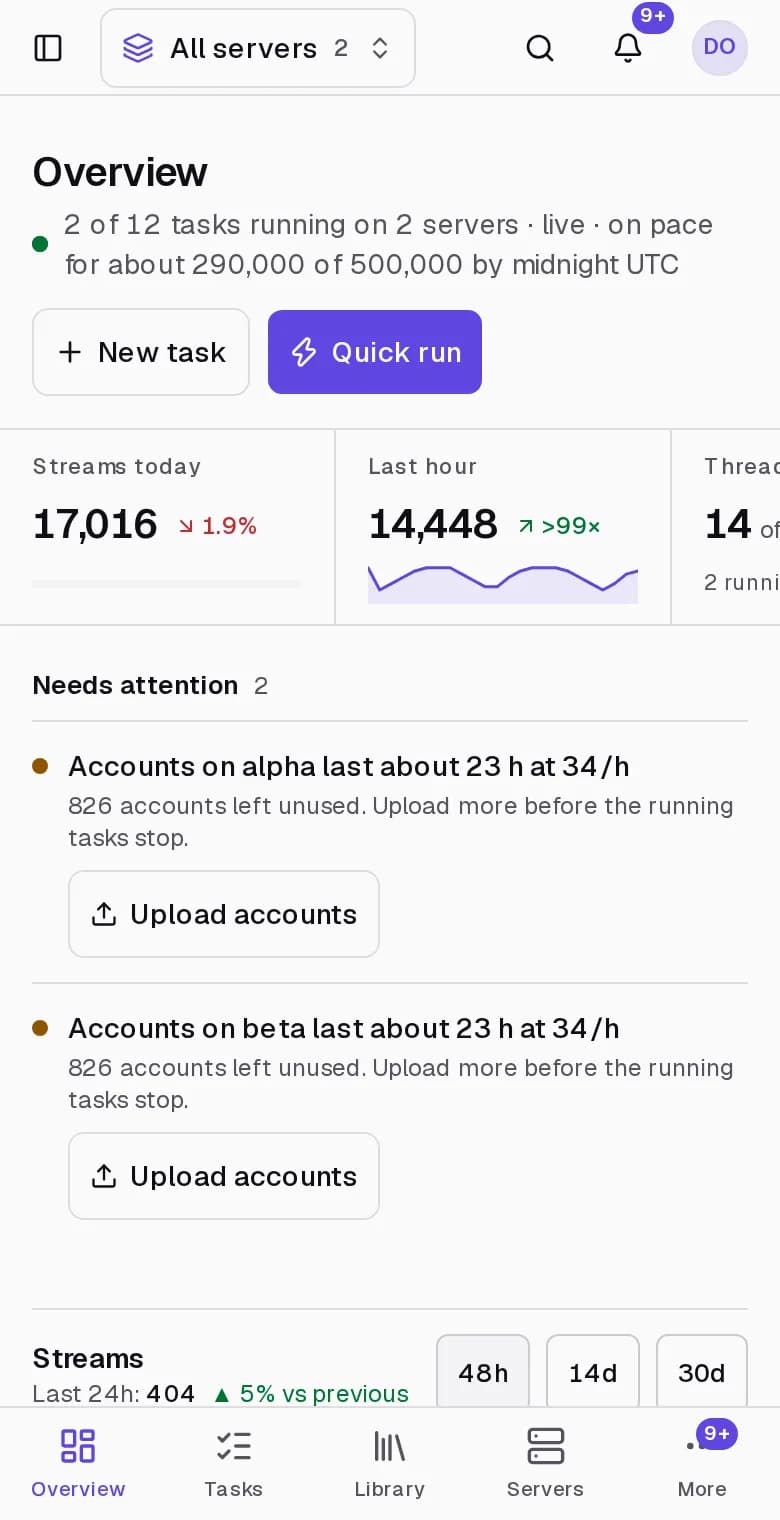
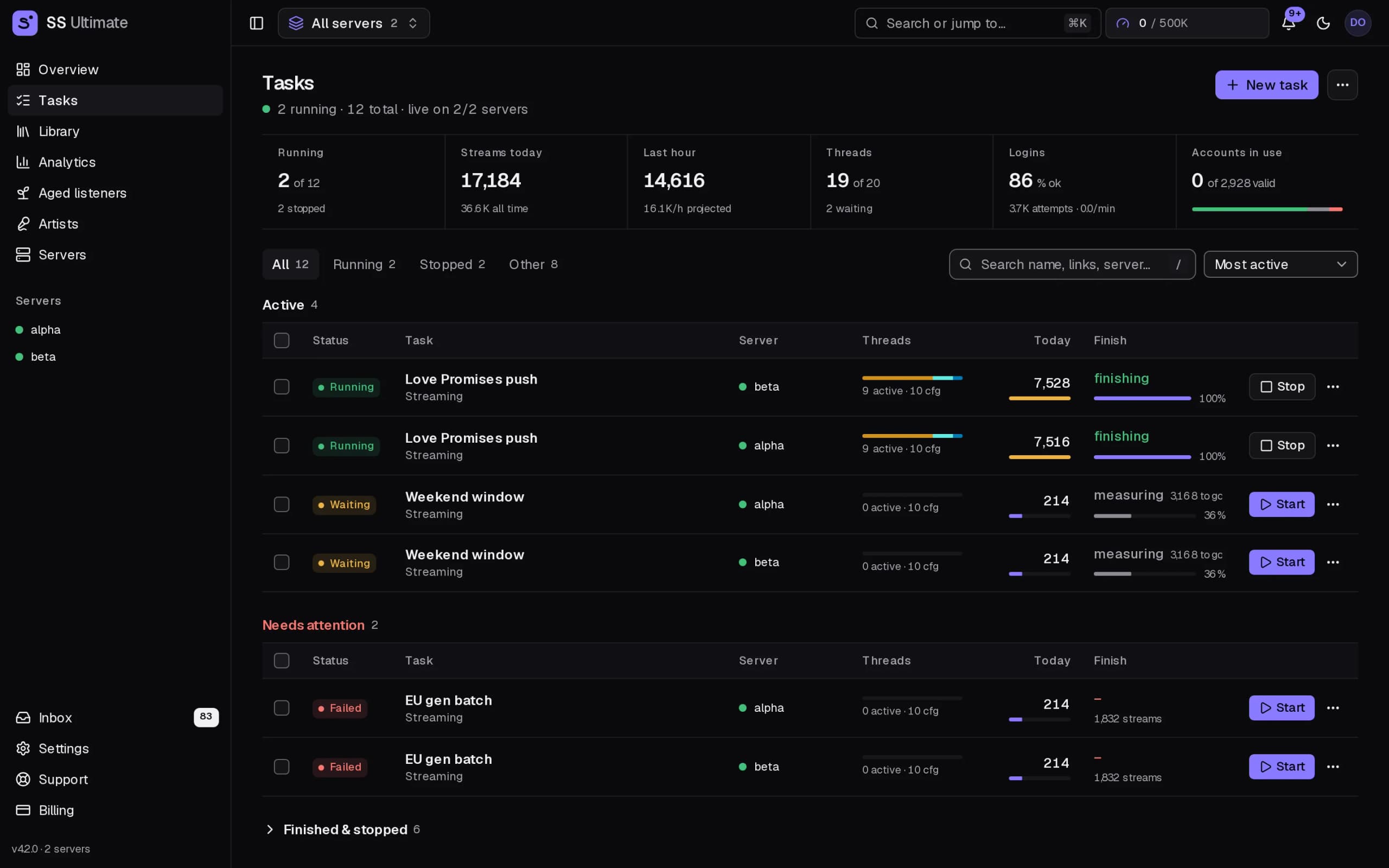
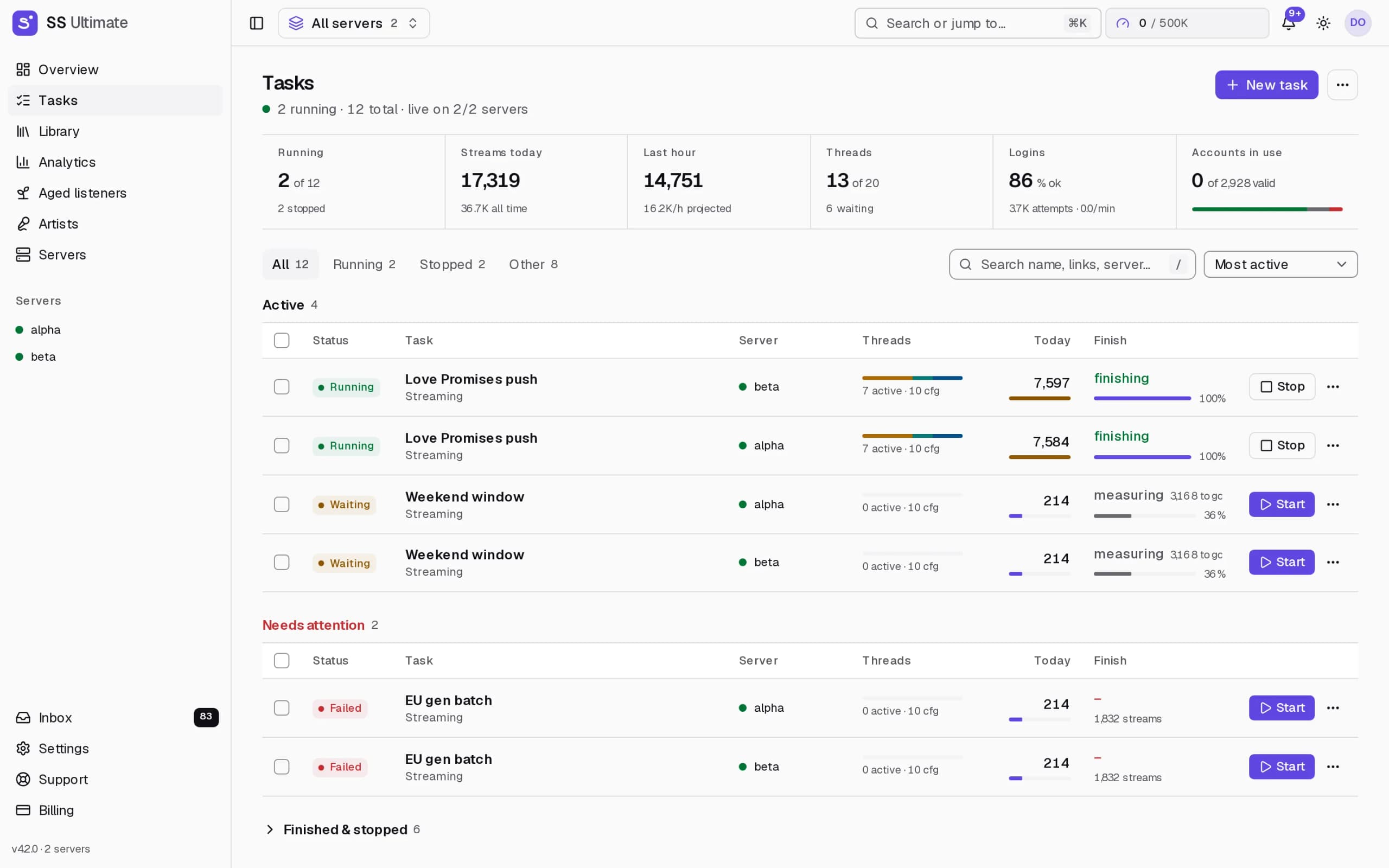
Every image here is the running product. The figures in them are figures it produced.
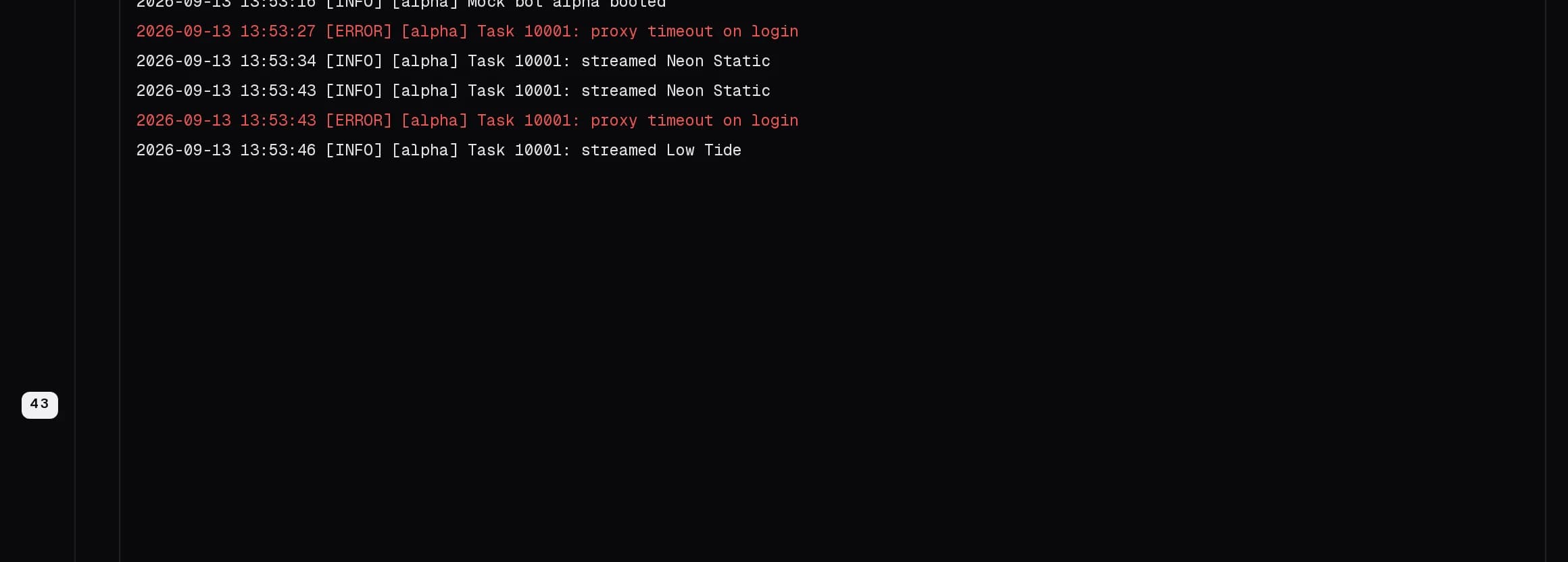
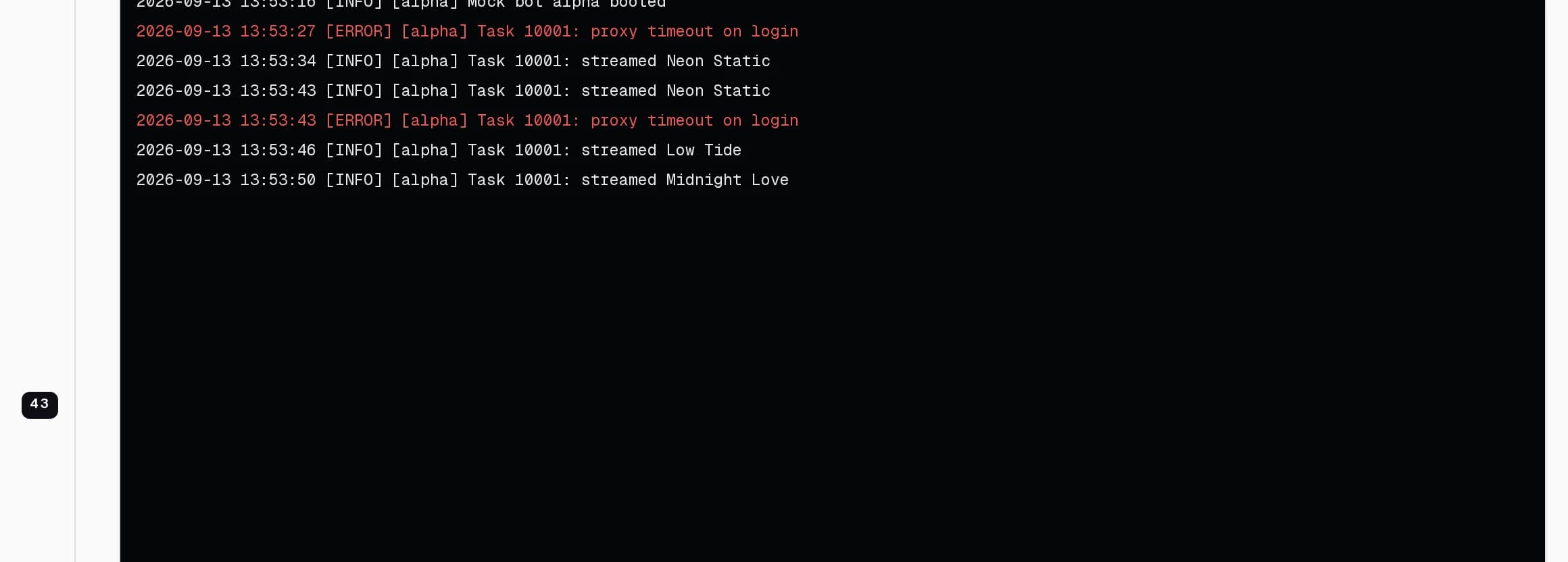
Logs that tail like a terminal
Every line the bot writes, live, with level filters, search, pause and download. Turn the bot up to debug without restarting it.
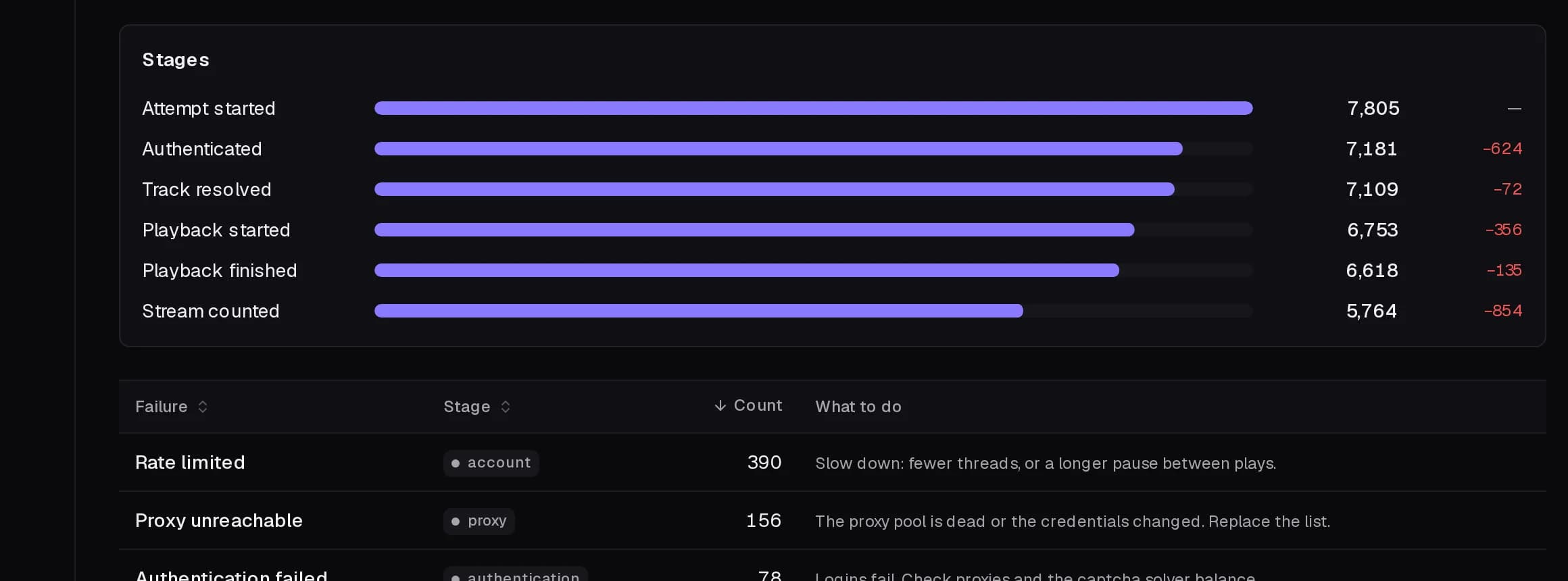
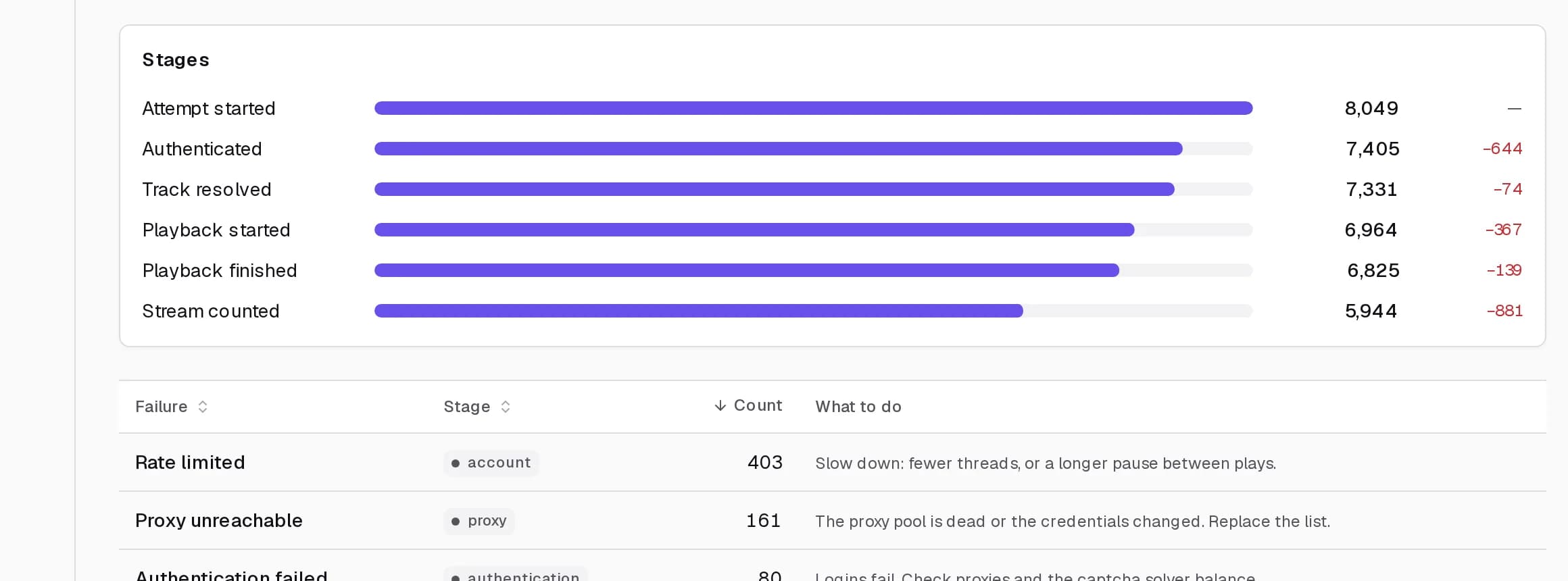
Where attempts are lost
Six stages from attempt to counted stream, each with the number it dropped, and a table naming every failure with what to do about it.
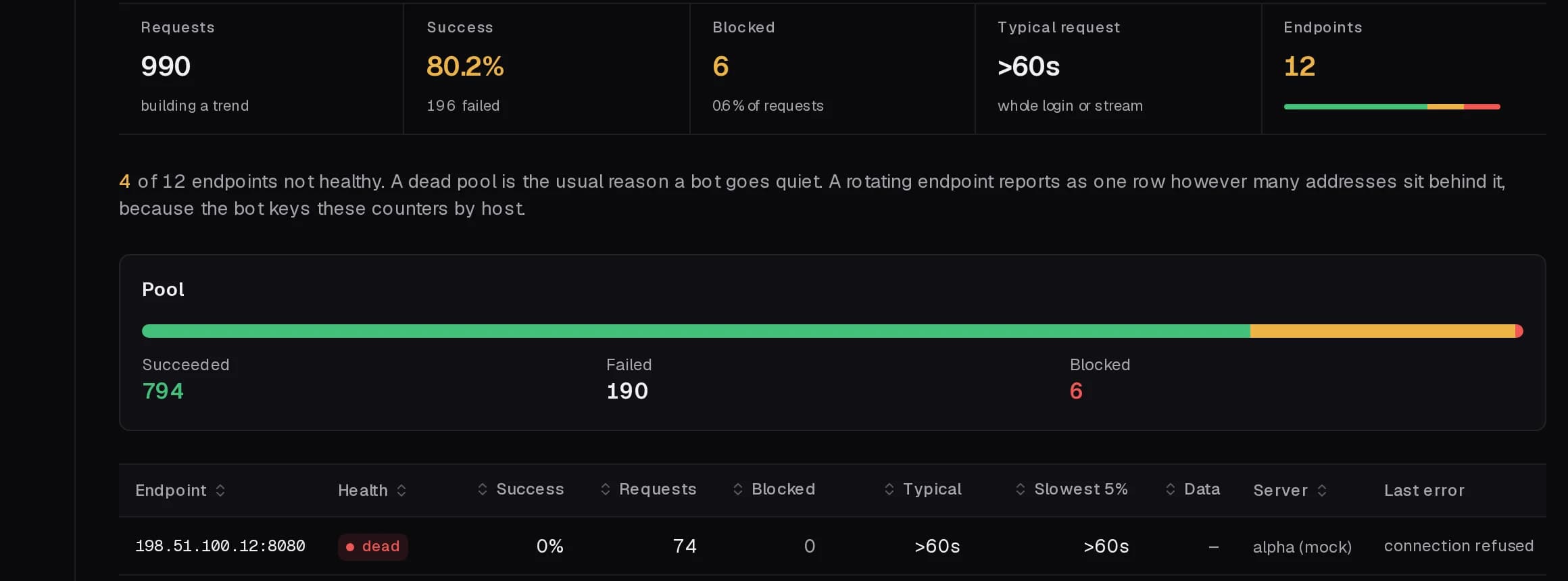
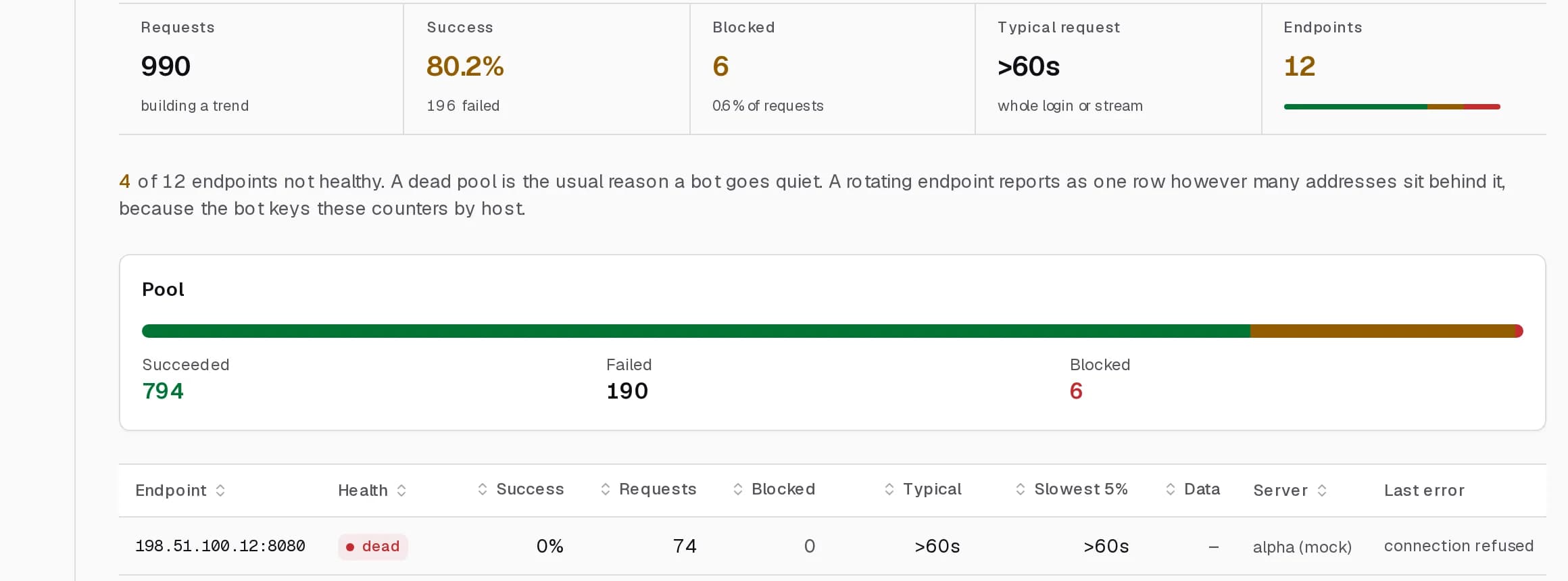
Proxy pools, endpoint by endpoint
Requests, success rate, blocked count, data used and the last error, each endpoint marked healthy, degraded, blocked or dead.
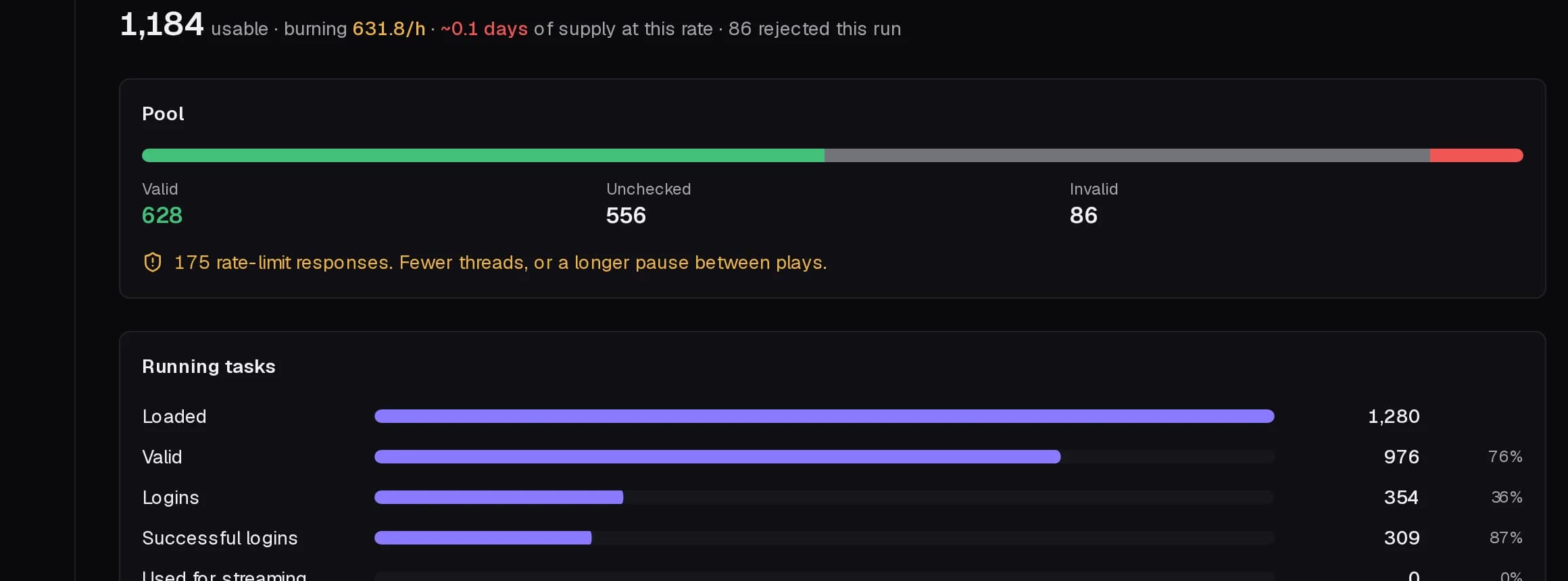
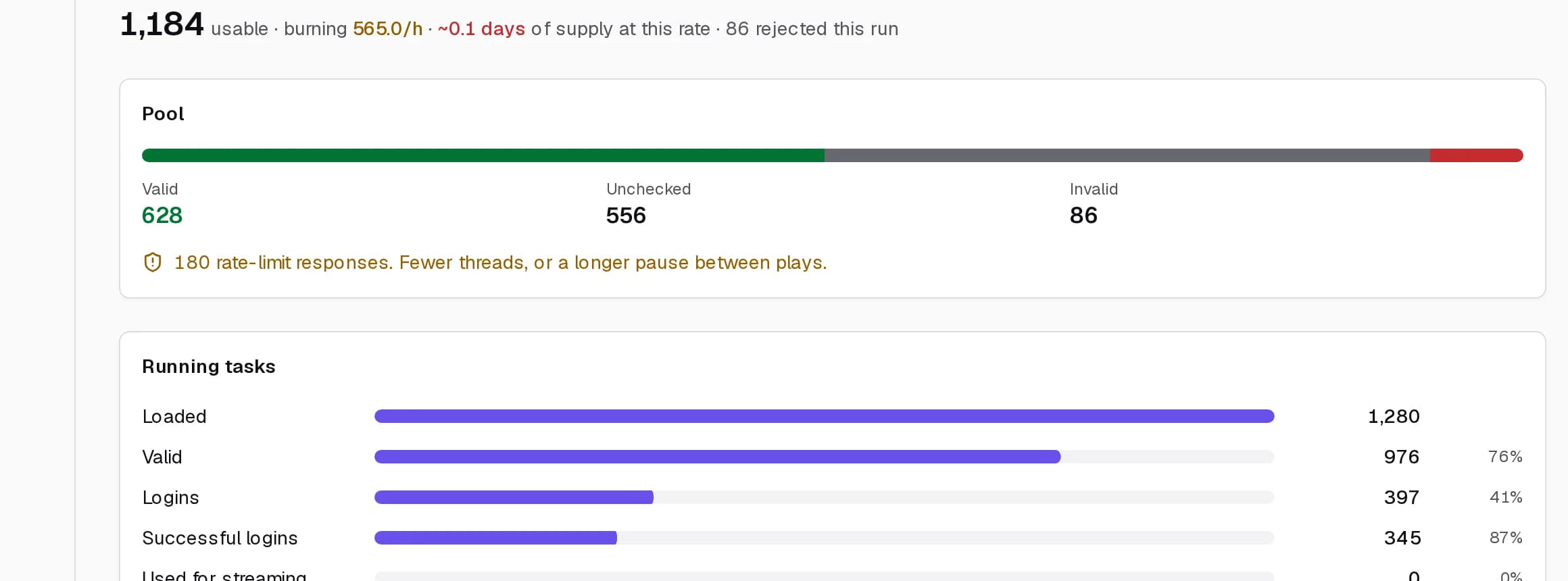
Supply, burn rate and days left
How many accounts are usable, how fast they are going and how long they last at that rate. Warnings arrive before the pool dies.
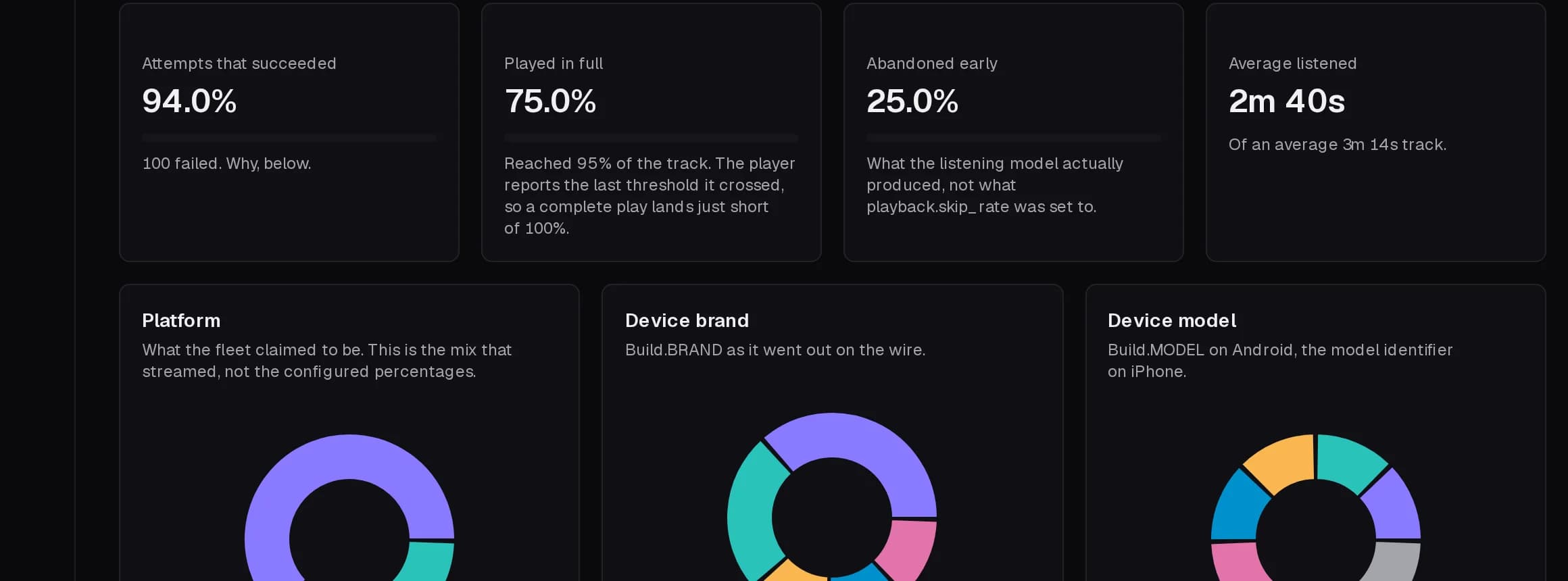
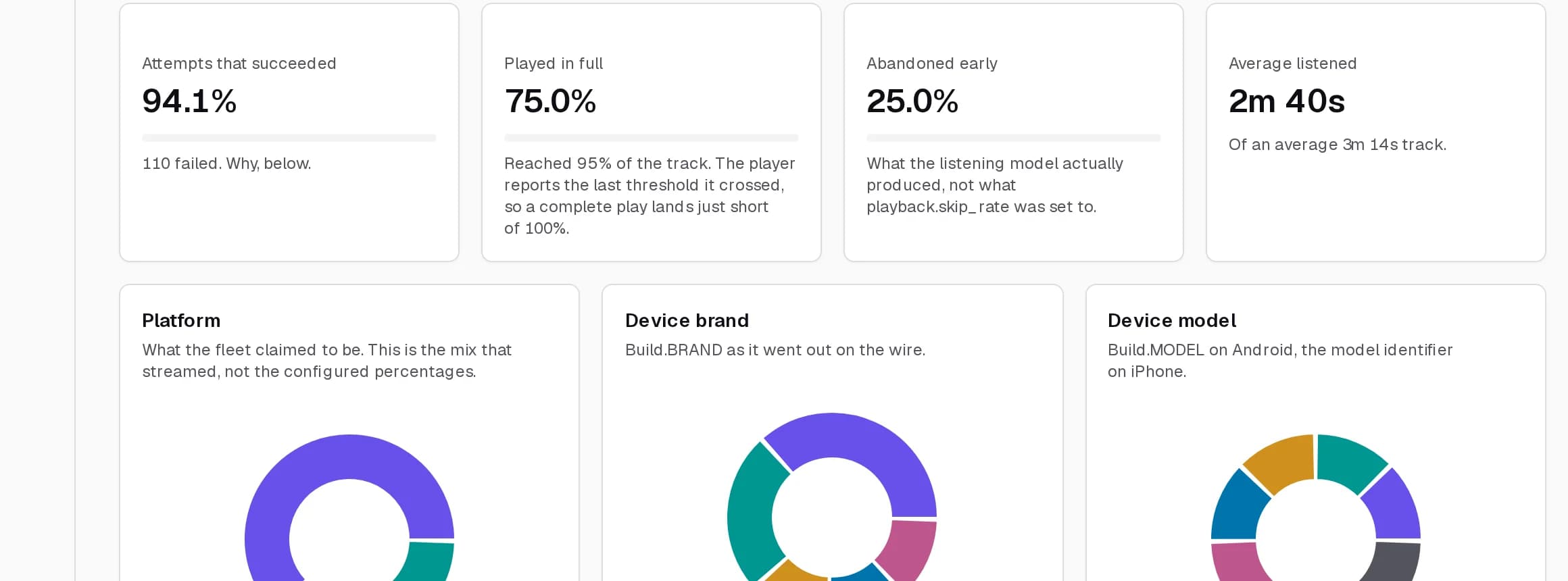
What each stream claimed to be
Completion, abandonment and average listened, by platform, device brand, model, OS version and country.
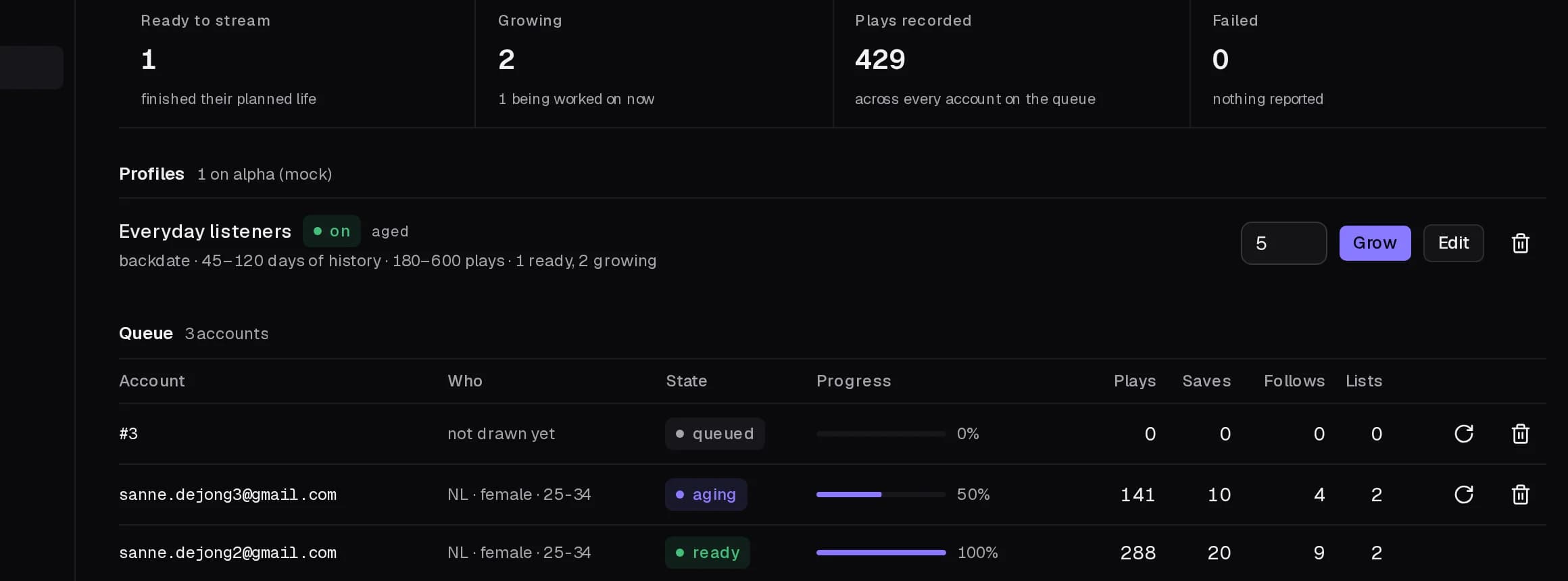
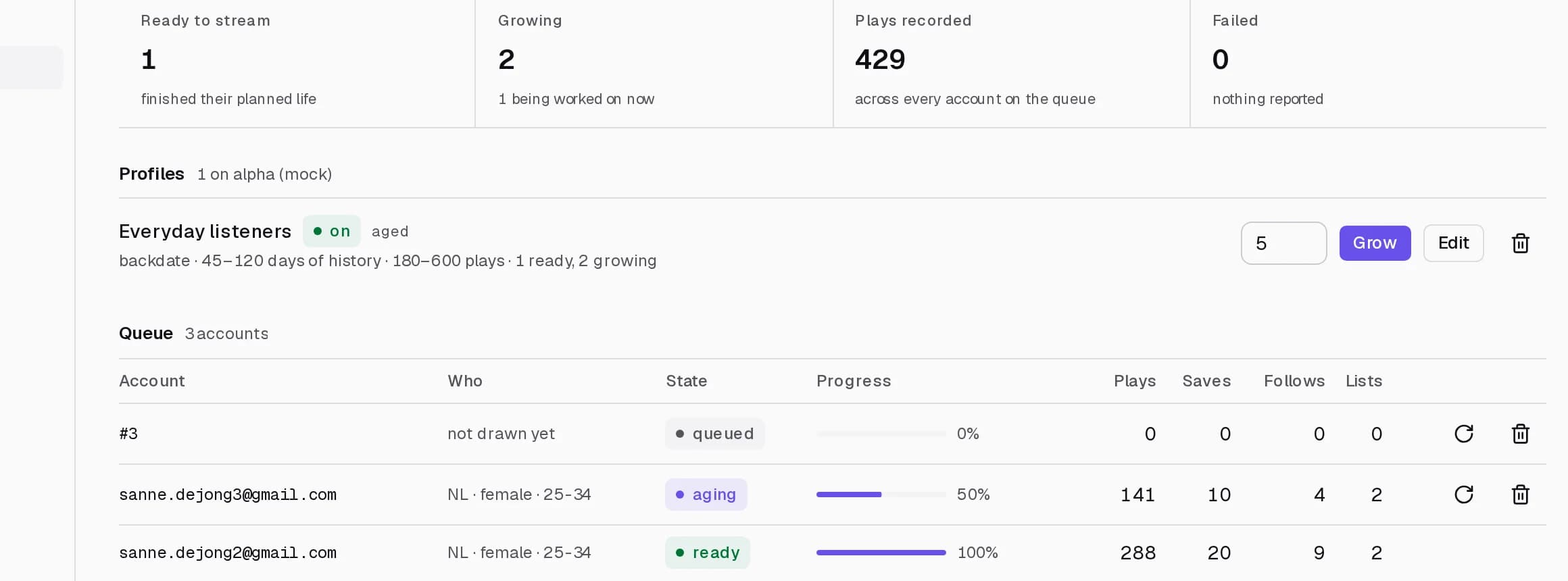
Listeners grown before you need them
Accounts that listen, save and build playlists for weeks, in a queue showing each one queued, aging or ready.
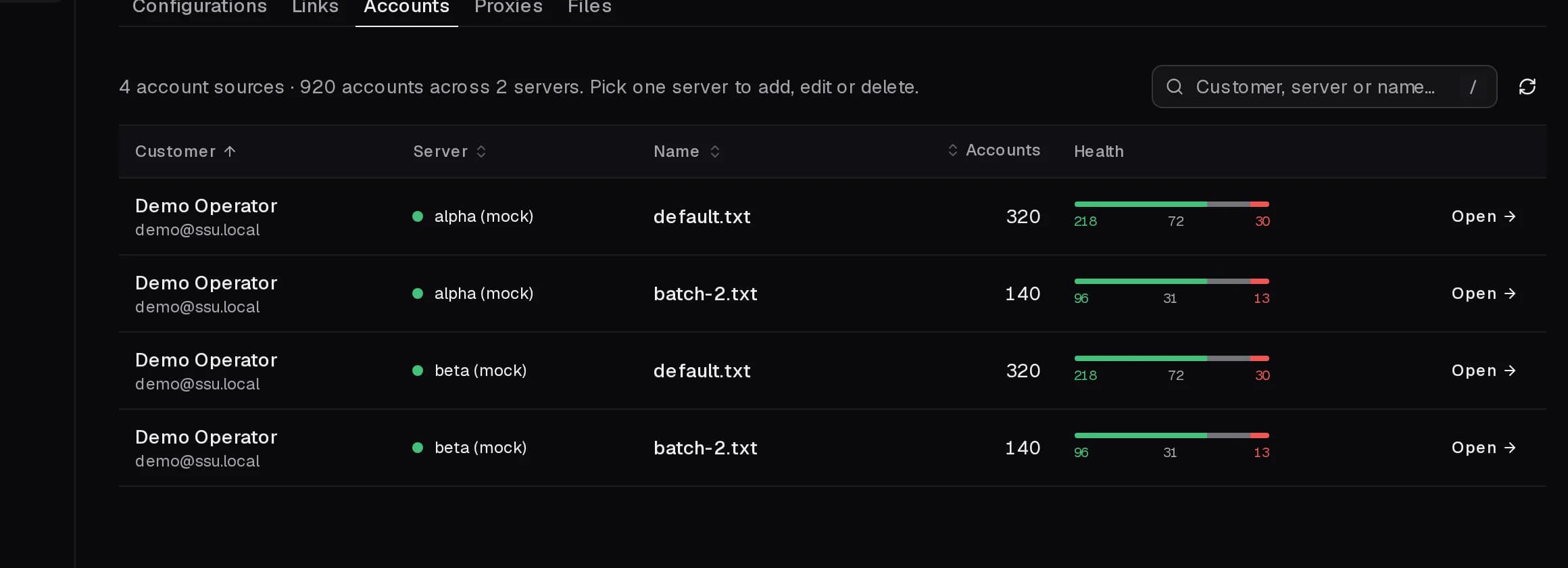
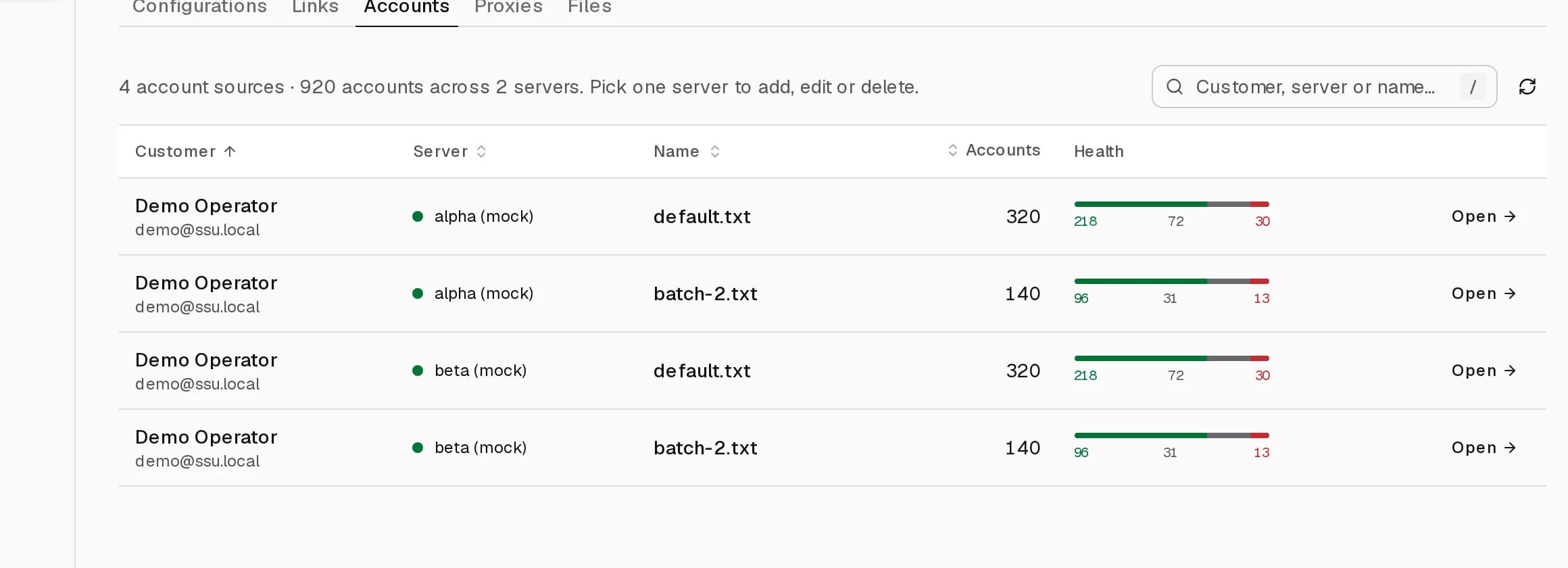
Every resource, per server
Link sets, accounts, proxies, files and configurations, with health per source and bulk actions on all of it.
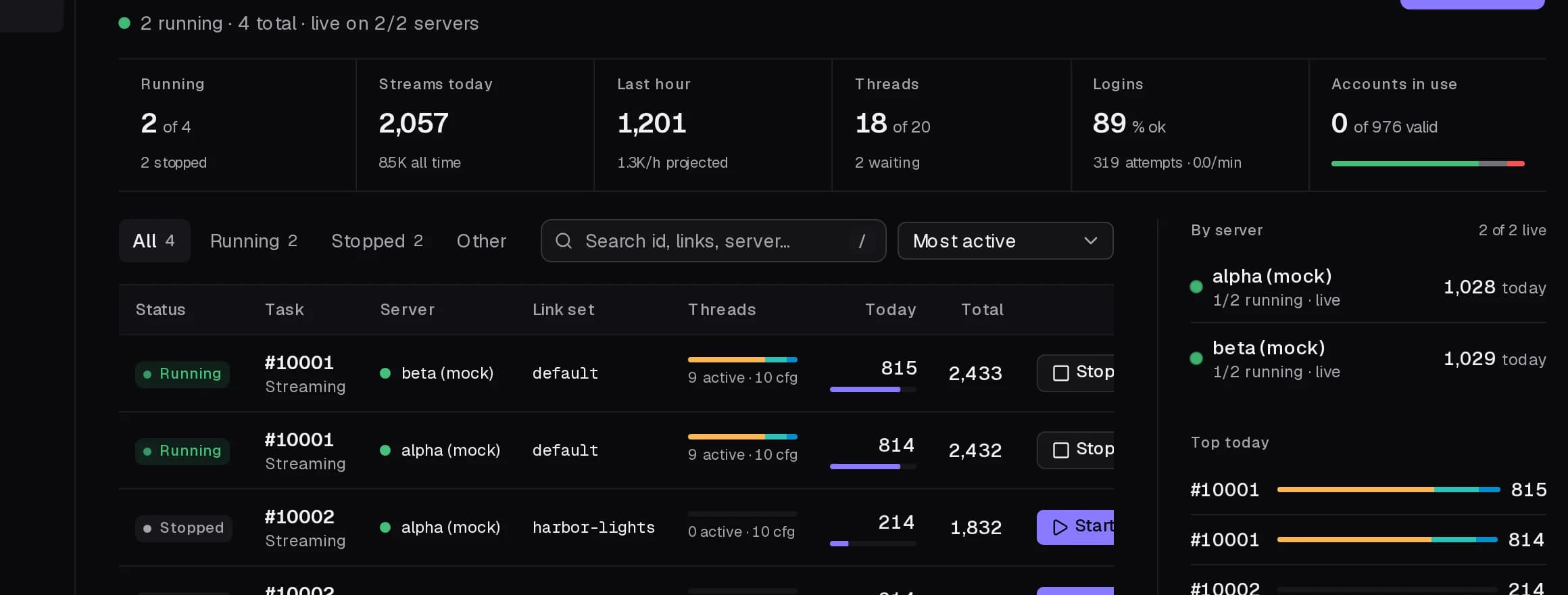
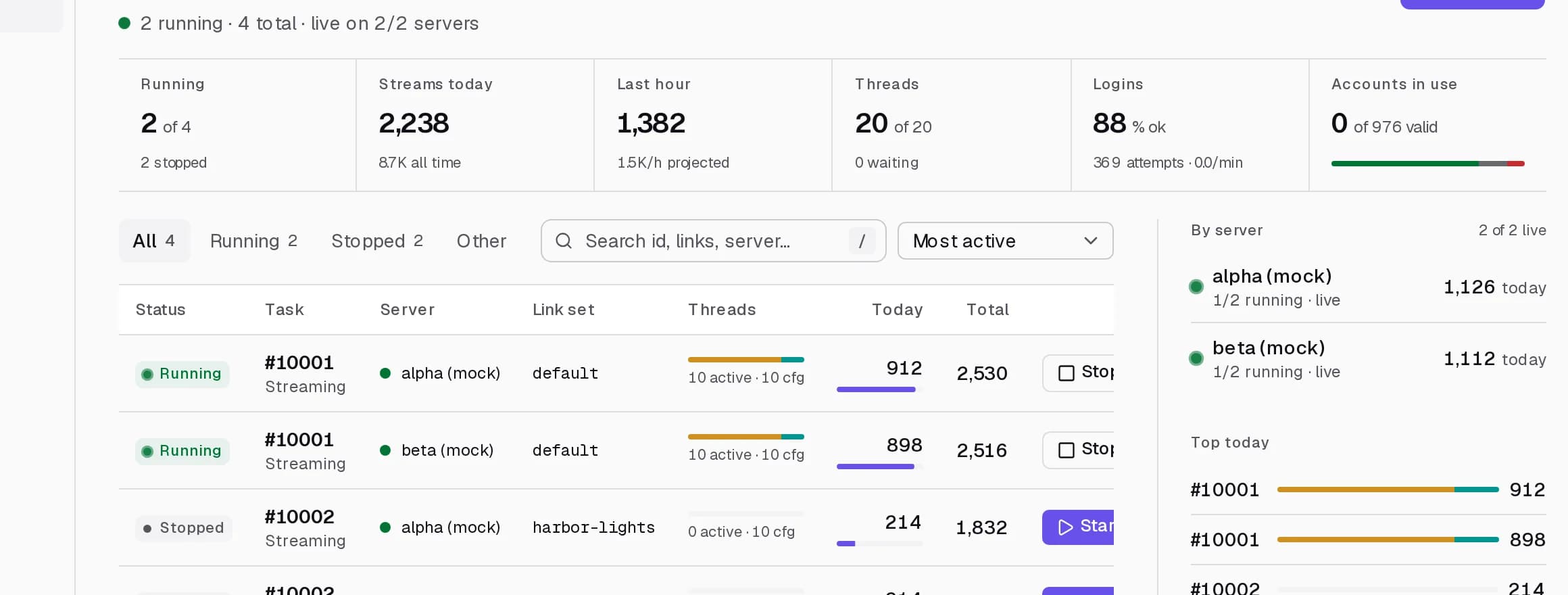
Start, stop and duplicate
One row per task with live thread bars, today and total, filters and sort. Duplicate a run that worked.
Light on the wire, heavy on throughput.
Proxy traffic is what a stream actually costs you, and most of that bill is bandwidth you never needed to spend.
- Proxy traffic
- ~1.5 KB
- per counted stream
- Per 1,000 streams
- ~1.4 MB
- measured on a live server
- Throughput
- 5,000/h
- per thread, at full tilt
- Gigabytes you never pay for
- A thousand counted streams move about a megabyte and a half. Residential and mobile proxies bill by the gigabyte, so this is the line on the invoice that decides what a campaign costs.
- Connections are reused
- Every response is drained so the connection stays alive instead of paying for a fresh handshake on the next request.
- Up to 5,000 streams an hour, per thread
- And as many threads as your proxies and accounts can carry. Guided setup sizes the real number down to what you actually loaded.
- One process per server
- The dashboard adds nothing to the machine that streams. It reads it, and gets out of the way.
And everything else it does.
- Command palette
- ⌘K jumps to any page, server, task, configuration or link set.
- Keyboard shortcuts
- N for a new task, G-chords for every page, / to search, J and K to move.
- Scope switcher
- Every page aggregates all your servers or narrows to one.
- Five notification channels
- Inbox, push, email, Telegram and Discord, per event.
- Push on iPhone
- Add it to the Home Screen and alerts arrive with the dashboard closed.
- Presets and guided setup
- Three questions fill in a whole configuration and say why.
- Validation mirrored from the bot
- If the editor saves it, the bot accepts it.
- Configurations pushed everywhere
- Saved once, sent to every server you own.
- Cookie import
- Cookie values, header lines, Netscape files or JSON exports.
- Account generation
- Sign up fresh accounts on the server, or top up a run that ran dry.
- Country change
- Move accounts to the market you are targeting.
- Six task limits
- Total, daily, hourly, per account, per link and lifetime.
- Scheduling
- Run until the limits hit, or inside a time window.
- CSV export
- Daily streams per server, straight out of Analytics.
- Server utilities
- Recheck, push credentials, restart, install a version, reset.
- Invoices and billing
- Plan, period, invoices and payment details in one place.
Questions operators ask.
Something else? Ask on Telegram, answered by the people who run the bots.
How do I get access?
What happens once I am approved?
Do I need my own server?
What do I bring?
Can I run more than one server?
Does it work on a phone?
How do I know the streams were real?
Version 4 opens soon. The list is the way in.
Leave your details on the early access list and you get one email the day trials open. We approve by hand from there, usually the same day.